4 Steps to Create a Glossary
1. Click the Add (+) button at the top right of the list.
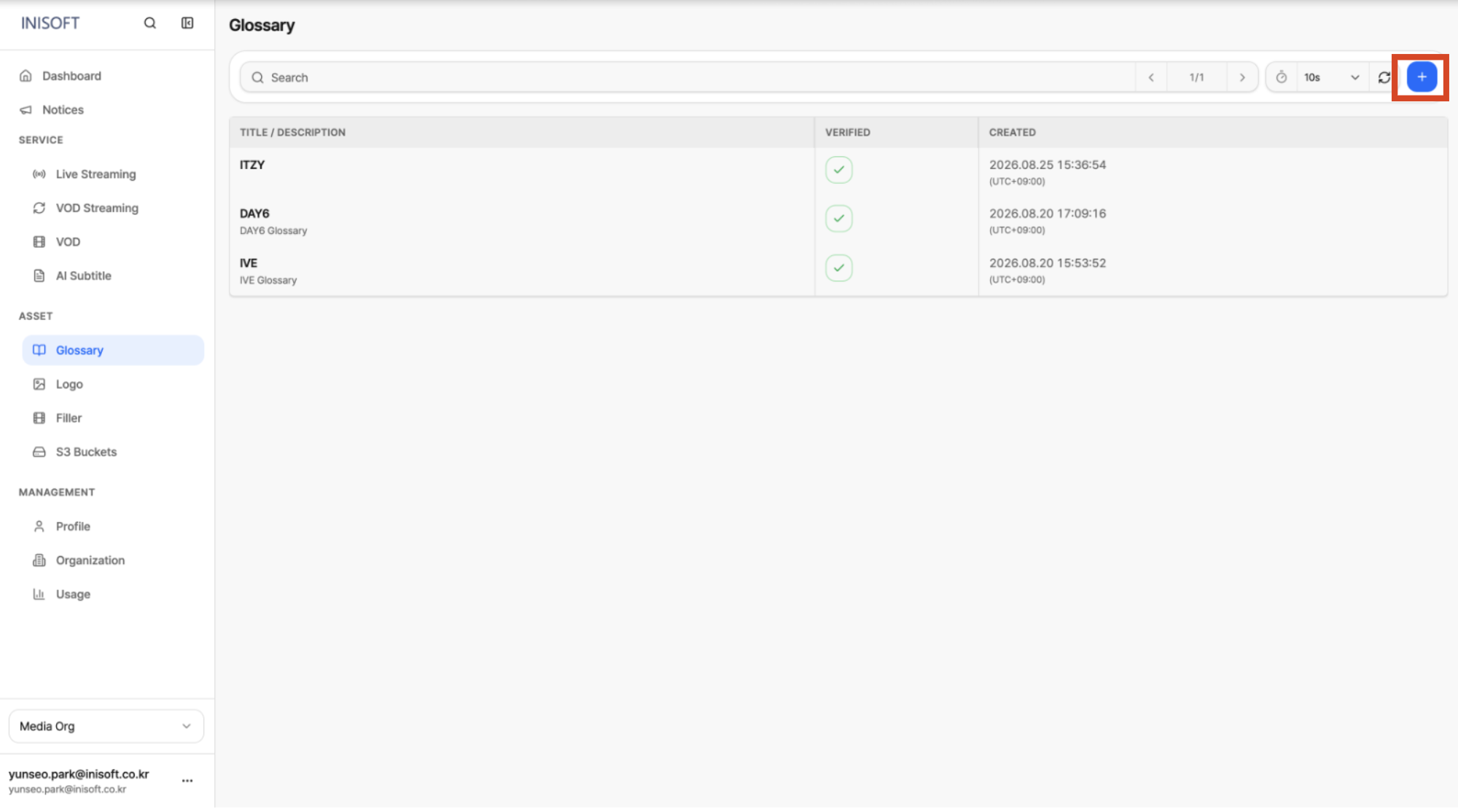
Fig. Create Glossary, step 1
2. Enter the Glossary's Metadata and Words in order.
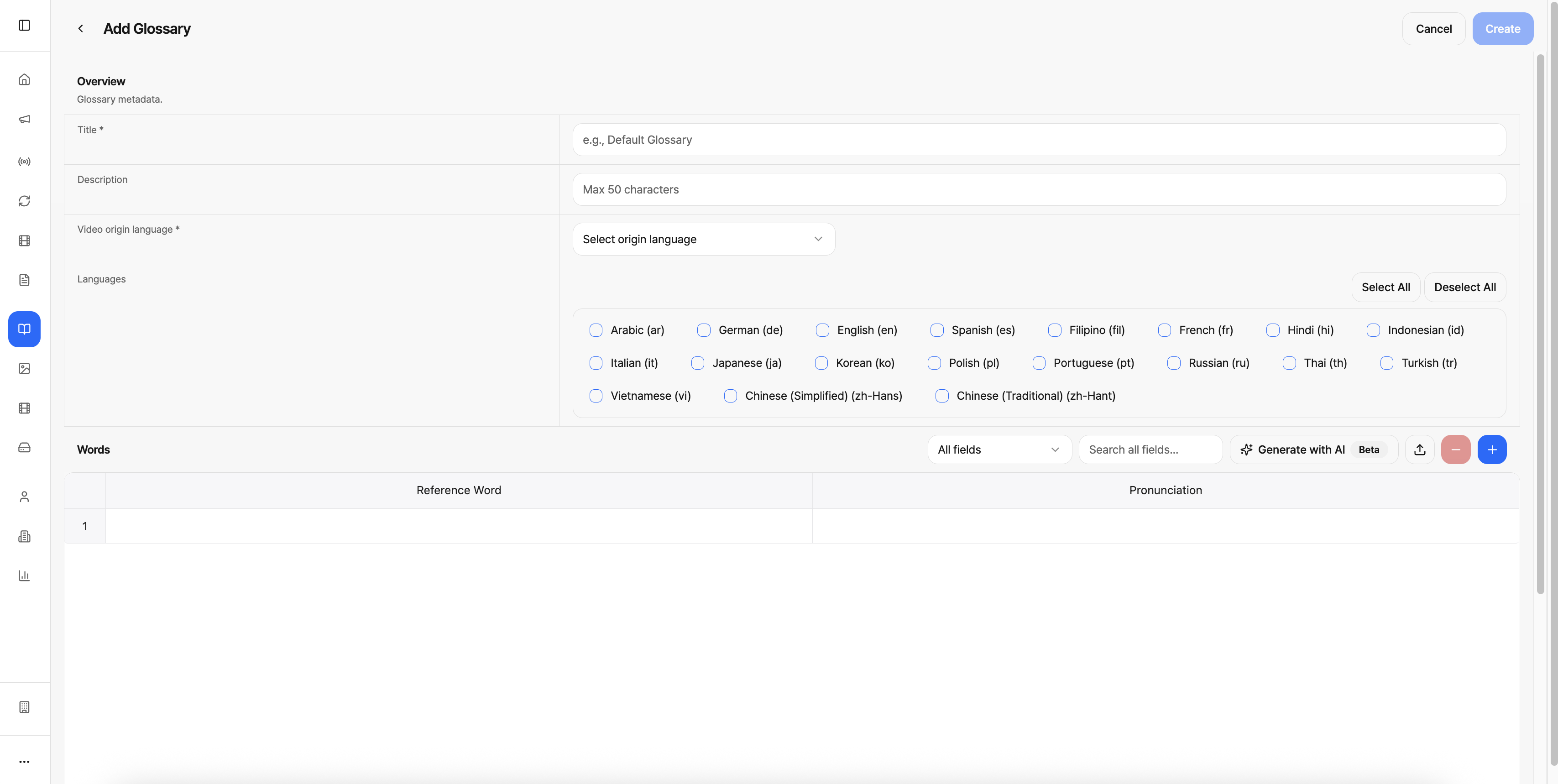
Fig. Create Glossary, step 2
3. Click the Create button to create the Glossary.
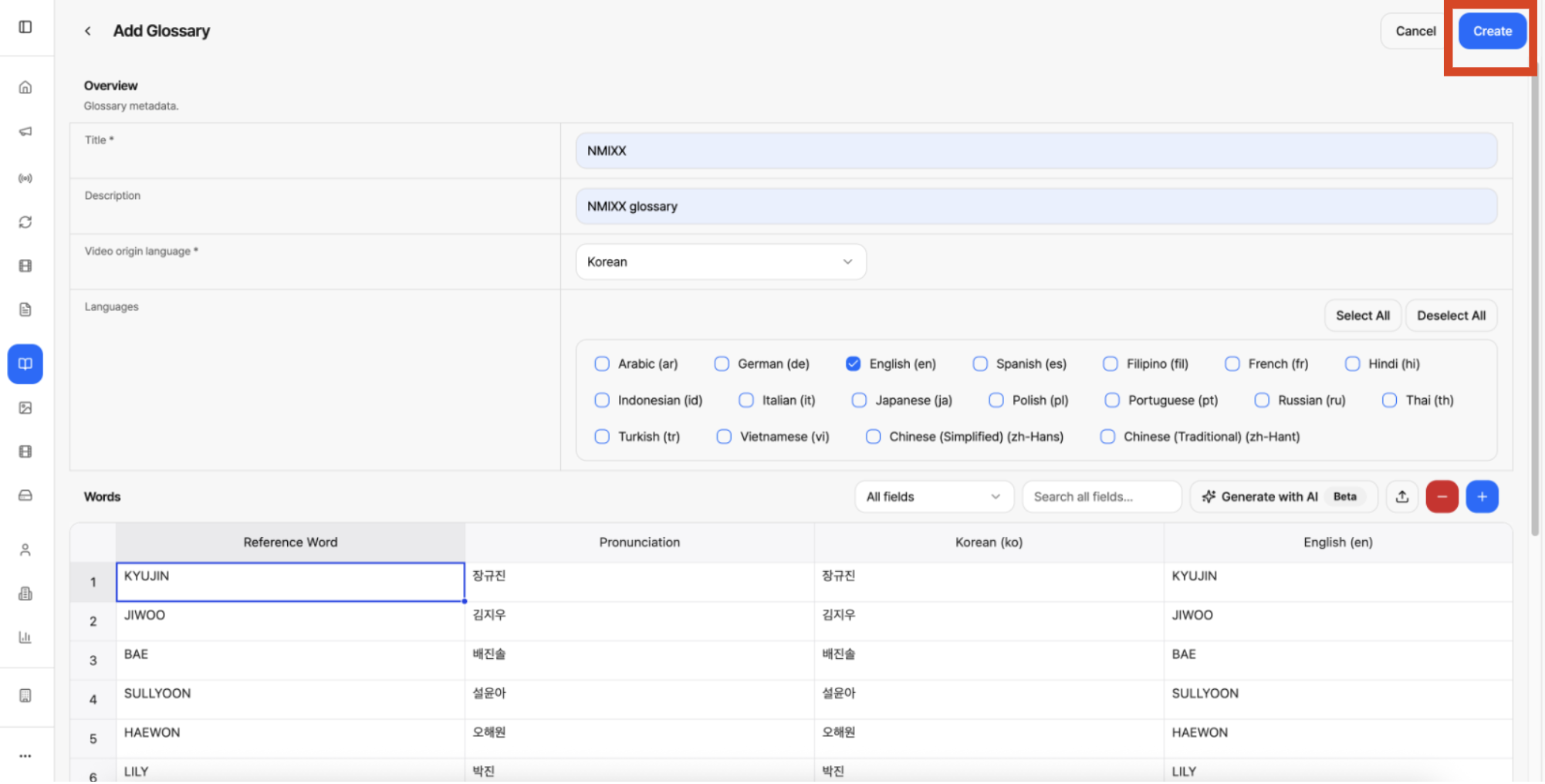
Fig. Create Glossary, step 3
4. Wait until Verified switches to a green checkmark, meaning verification is complete.
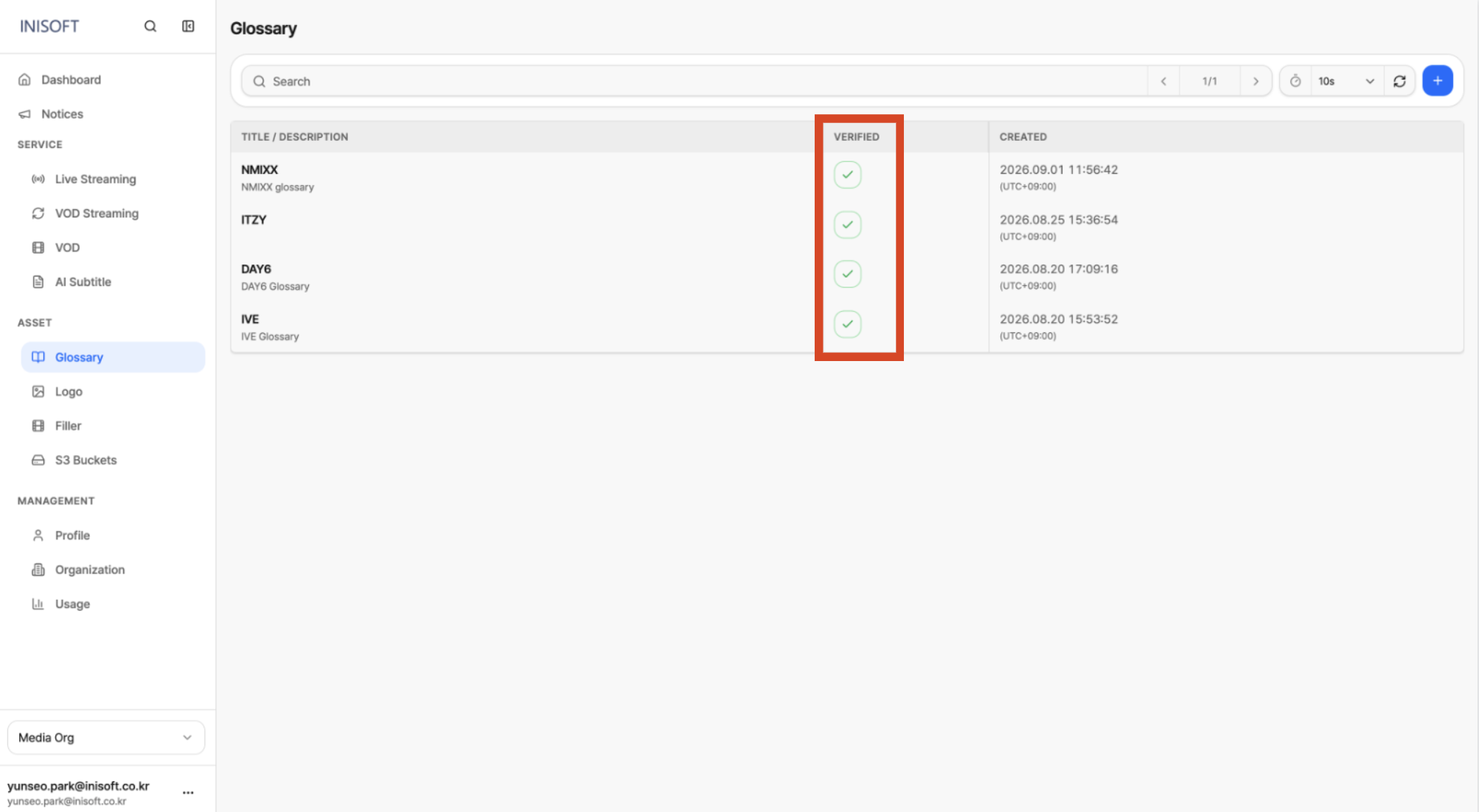
Fig. Create Glossary, step 4