Live Streaming
This service lets you create and operate live events, and issue and manage the Input URL for sending your broadcast, the Playback URL for viewers, and the Preview URL for operations and captioning.
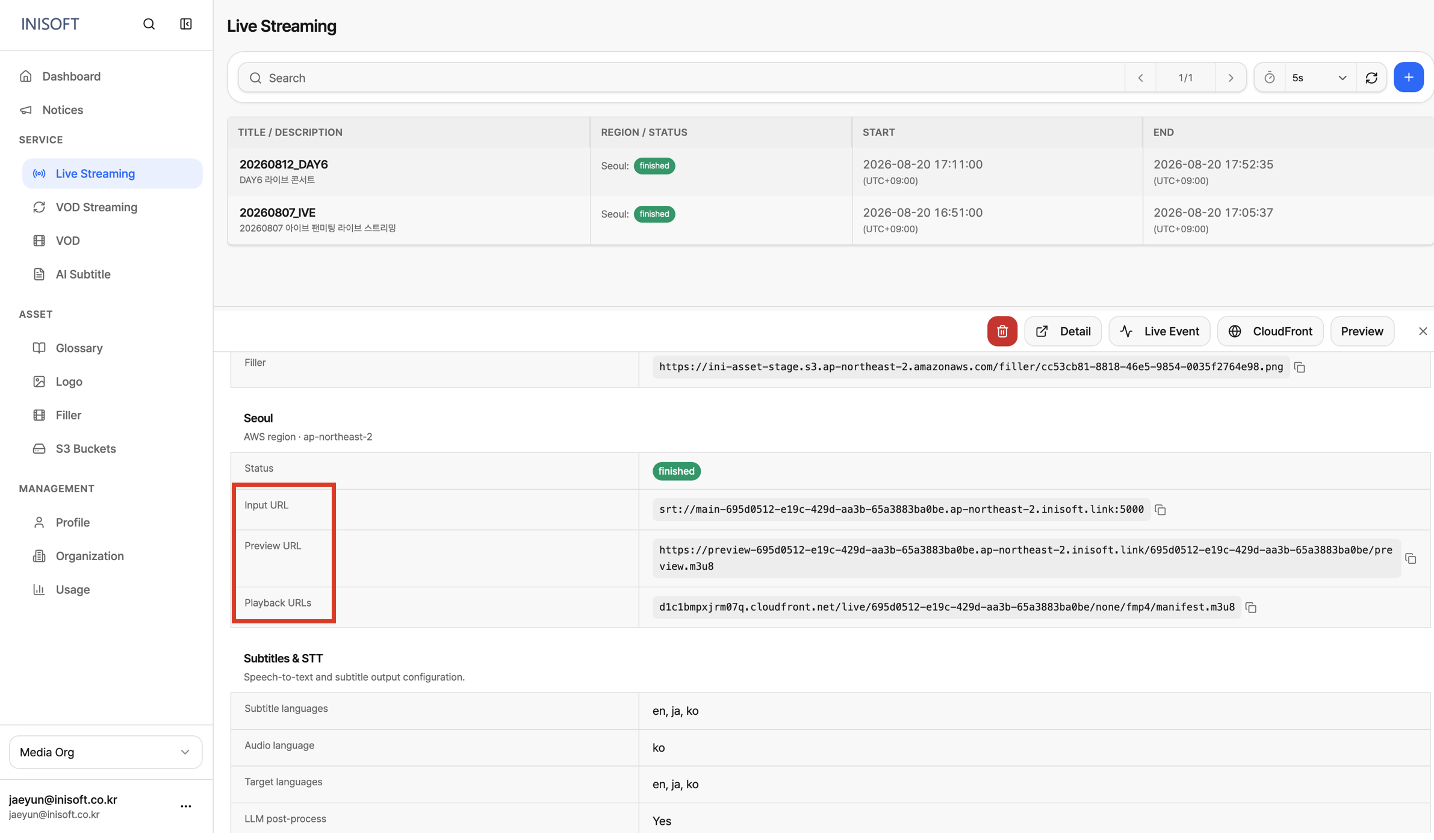
Fig. URLs generated when a live streaming event is registered — Input URL · Playback URL · Preview URL
- Input URL: The address your broadcast equipment or software (an encoder, OBS, etc.) sends the stream to.
- Playback URL: A near-zero-latency preview address used to check operations and monitor the broadcast in real time.
- Preview URL: The address connected to a player so viewers can watch the broadcast.
Once you create a live event, video captured on-site can be sent out in real time and delivered to viewers through the player. You can also freely configure the preset, transmission protocol, video delay, FPS, and more, so you can tailor the streaming service to your needs.
- What is a Preset?
A preset is a configuration profile that predefines the values needed to convert video, such as resolution, bitrate, video codec, and whether DRM is applied. Instead of entering options like resolution or bitrate one by one when creating an event, you can simply select one of the pre-registered presets, and the video will be converted and delivered according to the values defined in that profile.
Console Location
Service → Live Streaming 🔗console.inisoft.video/service/live_streaming