Live Streaming Detail Page
Live Streaming Detail Page
You can check details such as the event status, issued URLs, and configuration information.
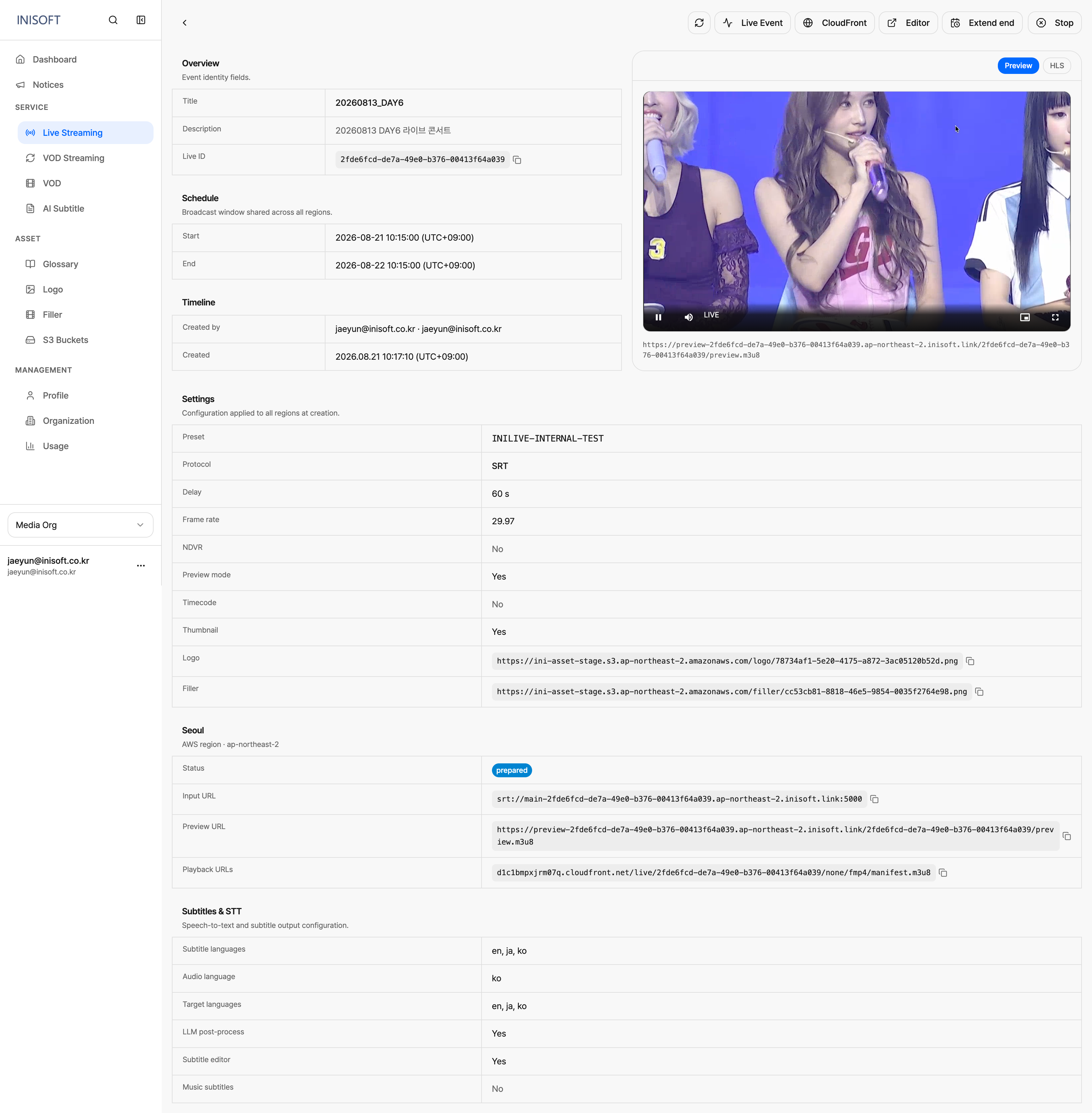
Fig. Live streaming Detail page
Overview
Shows information that identifies the event. Filling in the Title and Description properly lets an administrator tell at a glance what video the event is streaming and why it was created. The event ID acts as an identifier you can use to look up the event when monitoring the broadcast.
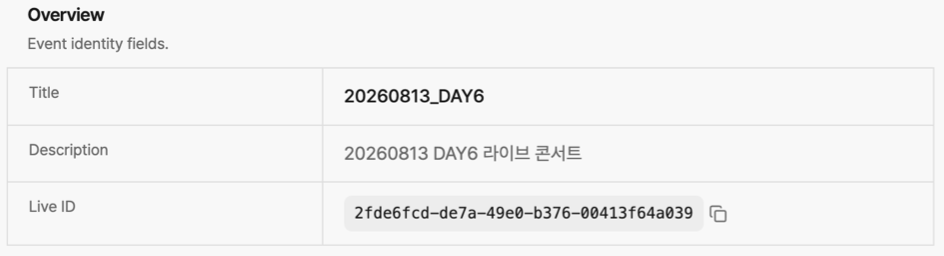
Fig. Live streaming Detail Overview
Region
Shows the event status per region and the URLs issued for each region.

Fig. Live streaming Detail Region
Schedule & Timeline
Shows the event's scheduled start/end times, along with who created the event and when.
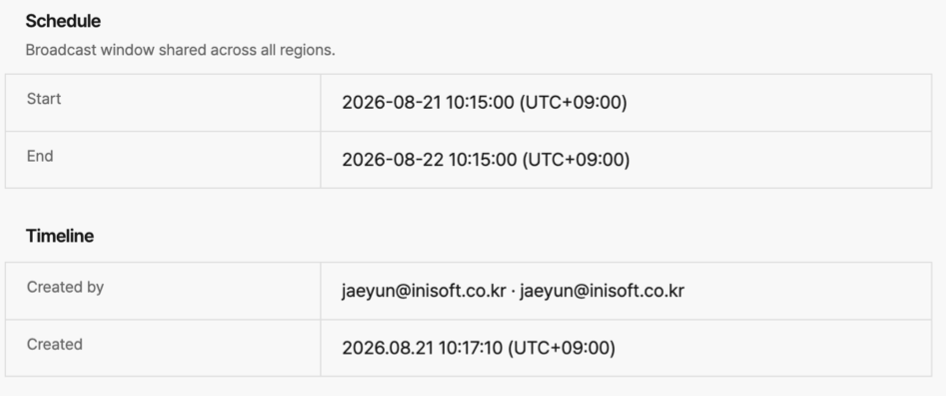
Fig. Live streaming Detail Schedule & Timeline
Setting
Shows the configuration values specified when the event was created.
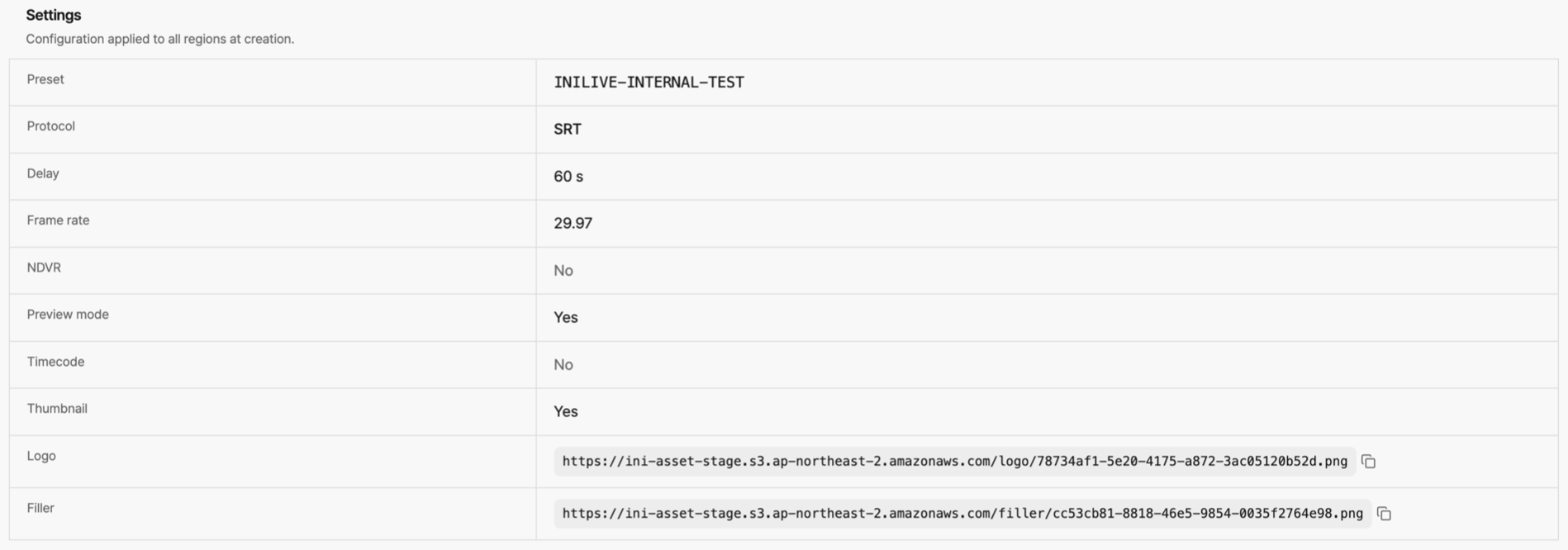
Fig. Live streaming Detail Setting
Subtitle
Shows the settings applied to subtitle generation (source language, target languages, whether LLM post-processing is used, whether the editor is used, and whether lyrics are included).
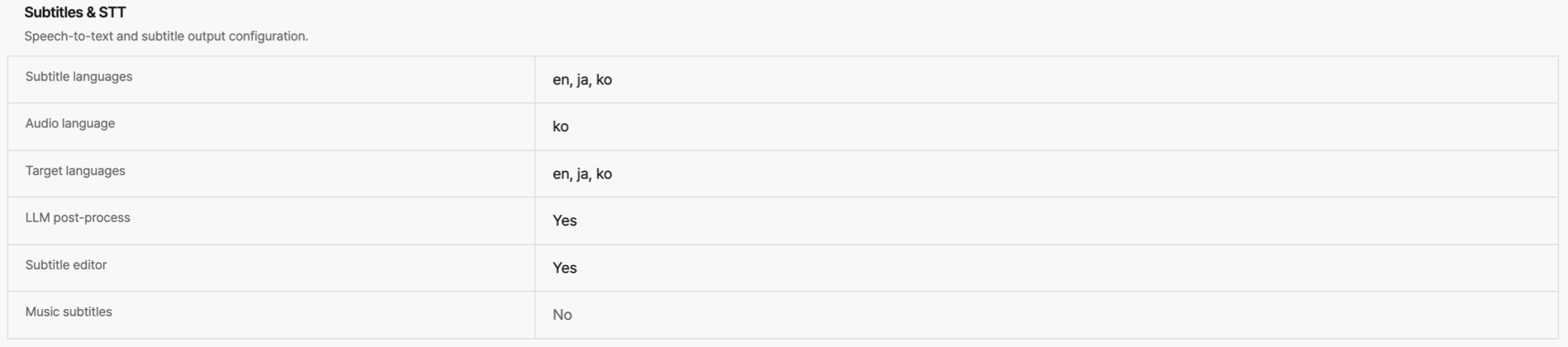
Fig. Live streaming Detail Subtitle Setting