Creating a VOD Streaming
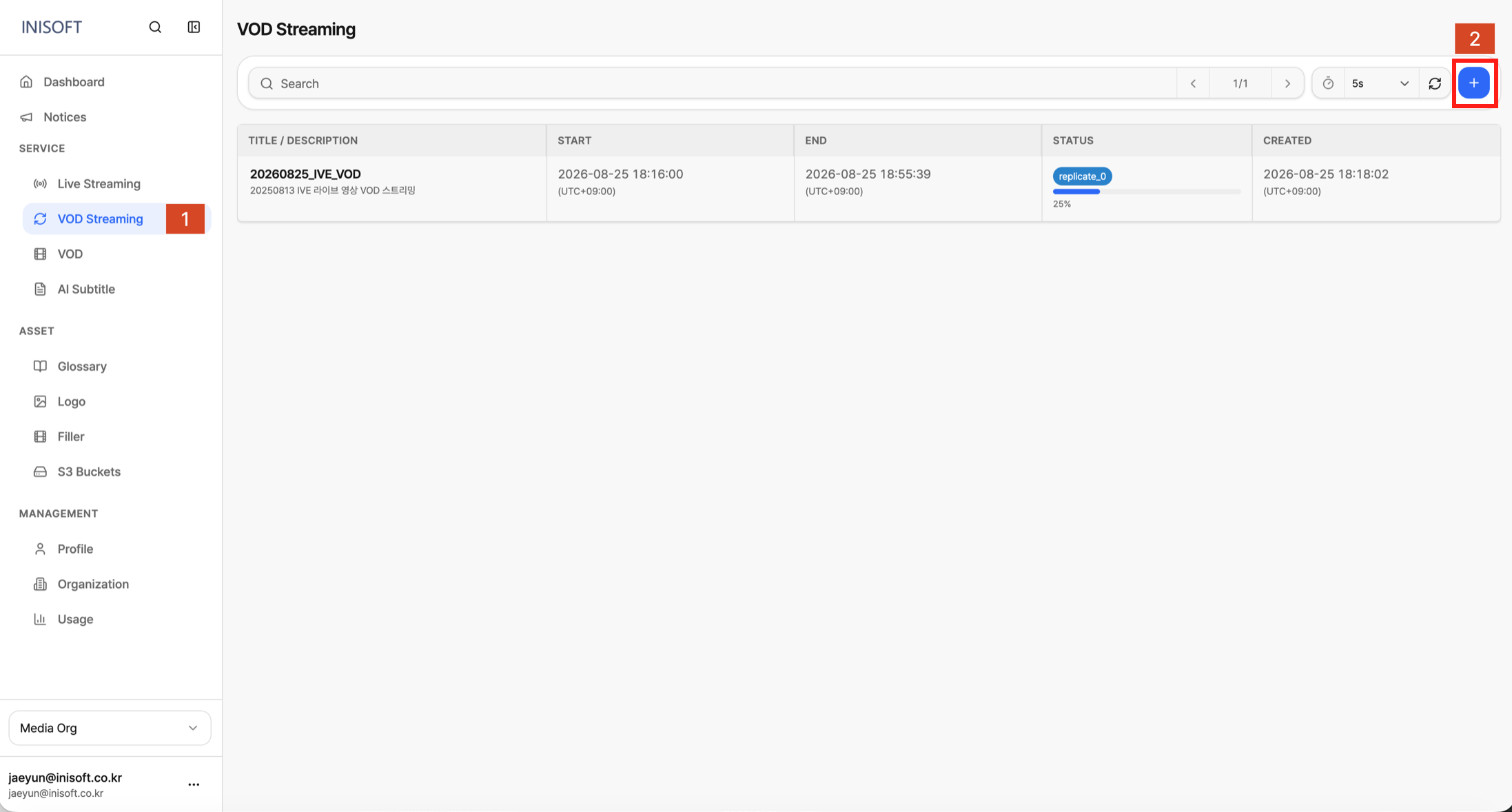
Fig. VOD streaming event create button
Creation Flow
- Click Add VOD Streaming (+) at the top right of the list.
- Enter
Title,Description,Package asset,Cdn, andStart time. - Click Create to register the event.
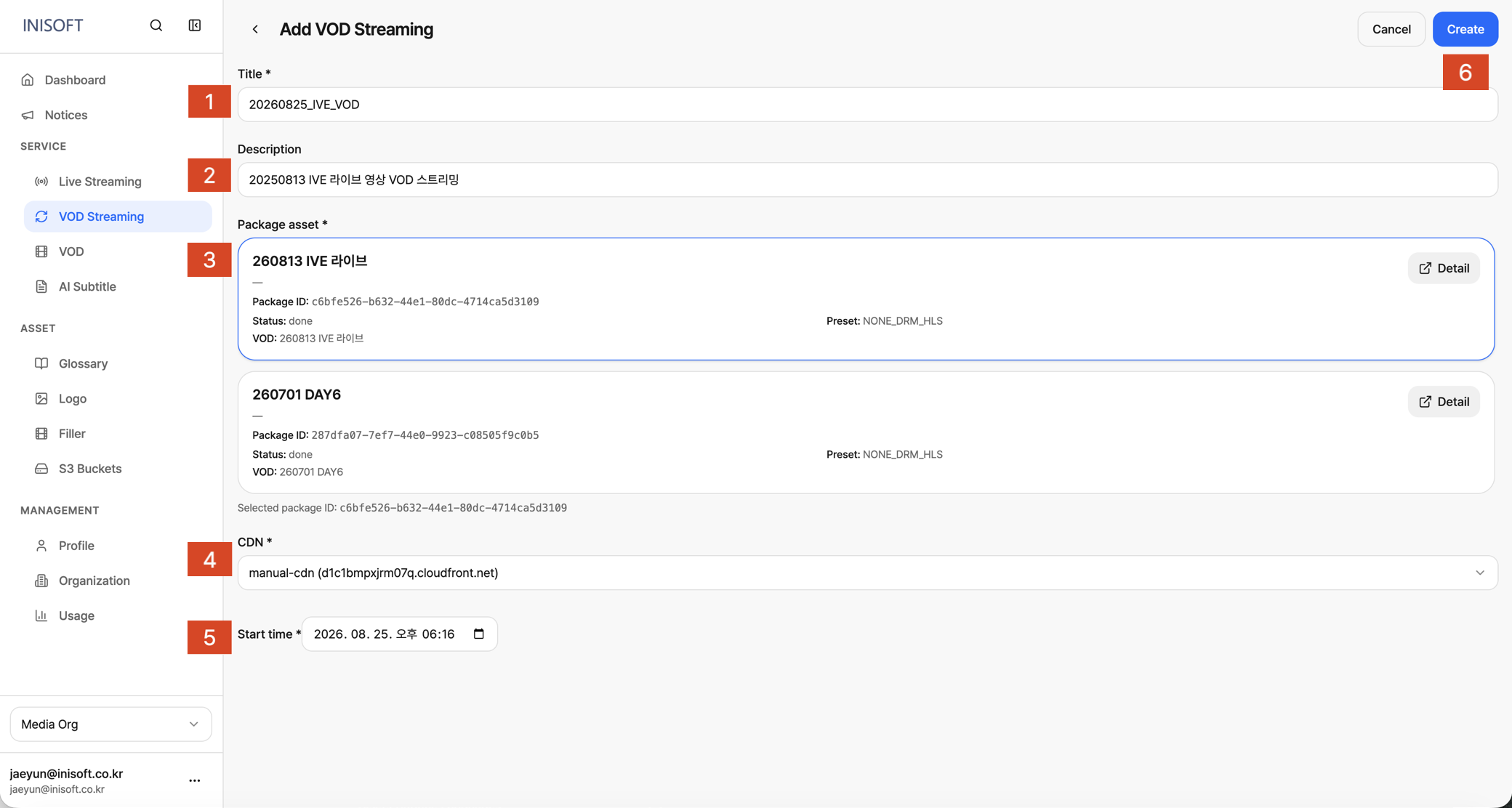
Fig. Add VOD Streaming — Title · Description · Package asset · Start time
Input Fields
| No | Field | Required | Description |
|---|---|---|---|
| 1 | Title | Yes | The name of the event. |
| 2 | Description | No | A detailed description of the event. |
| 3 | Package asset | Yes | Select one of the Packaging Job cards with a done status. You can use the Detail link to go to that Packaging Job's detail page. |
| 4 | CDN | Yes | Select one of the CDNs registered in the Admin Console. (Required) |
| 5 | Start time | Yes | The time streaming will start. |
Conditions for Selecting a Package Asset
The Package asset list only shows Jobs whose Packaging has completed (done) in the VOD menu.
Jobs where Packaging is still in progress or has failed do not appear in the list.