Detail Page
Clicking Detail on the detail panel takes you to the detail page, where you can view the event's full information.
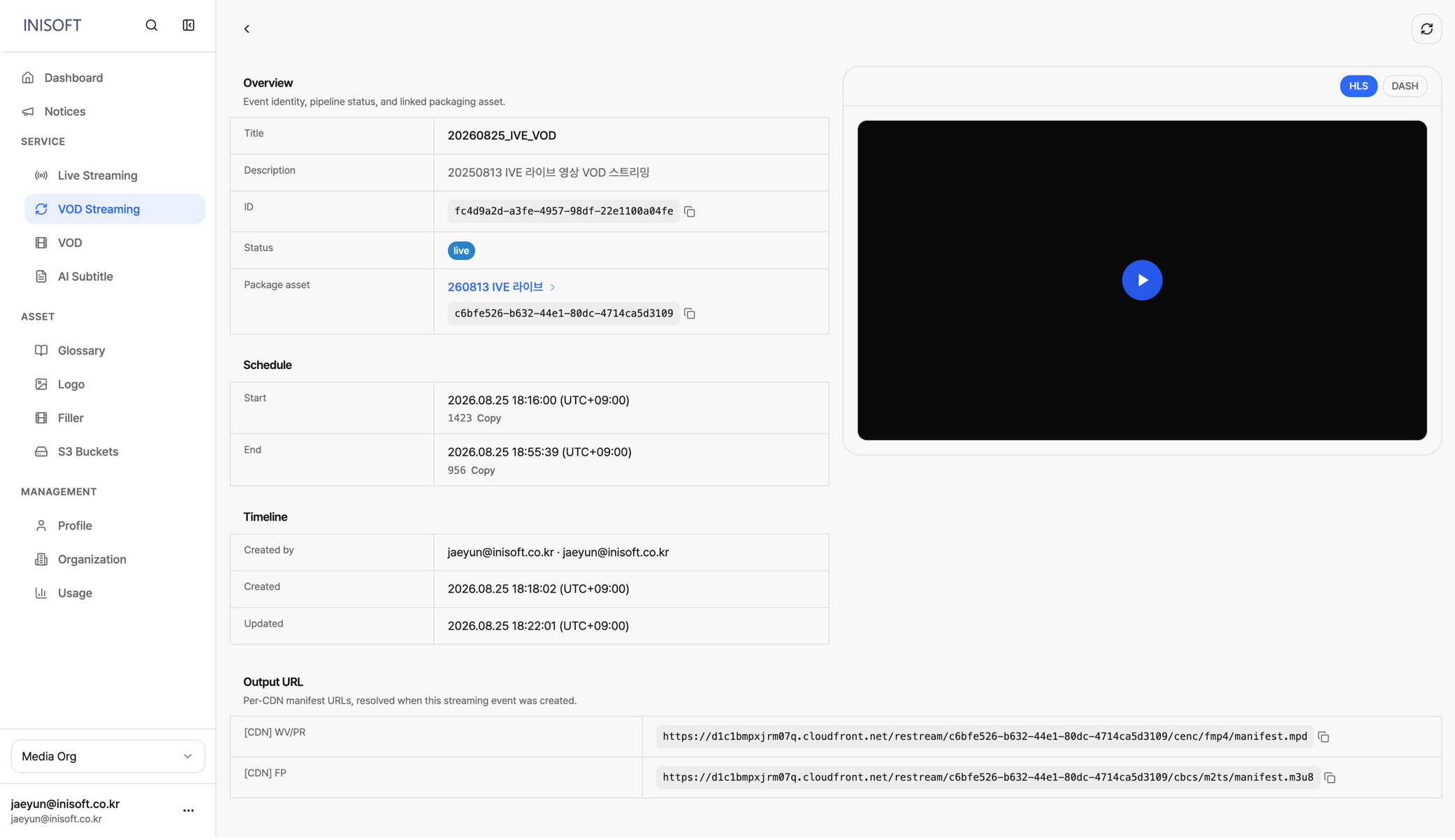
Fig. VOD Streaming detail page — Overview · Schedule · Timeline · Output URL
| Section | Item | Description |
|---|---|---|
| Overview | Title | The name of the VOD Streaming event. |
| Description | The description entered for the event. | |
| ID | A unique ID used to identify the event. | |
| Status | The event's current streaming status. (init, live, done) | |
| Package asset | The Packaging output linked to this stream. Clicking it takes you to the linked Asset's detail page. | |
| Schedule | Start | The date and time streaming started. |
| End | The date and time streaming will end. | |
| Timeline | Created by | Information about the user who created the event. |
| Created | The date and time the event was created. | |
| Updated | The date and time the event's information was last changed. | |
| Output URL | [CDN] WV/PR | The manifest URL for the CDN with Widevine/PlayReady DRM applied. |
| [CDN] FP | The manifest URL for the CDN with FairPlay DRM applied. |