Encoding Detail and Preview
Double-clicking a row for an Encoding Job in the list opens the Overview (detail) panel.
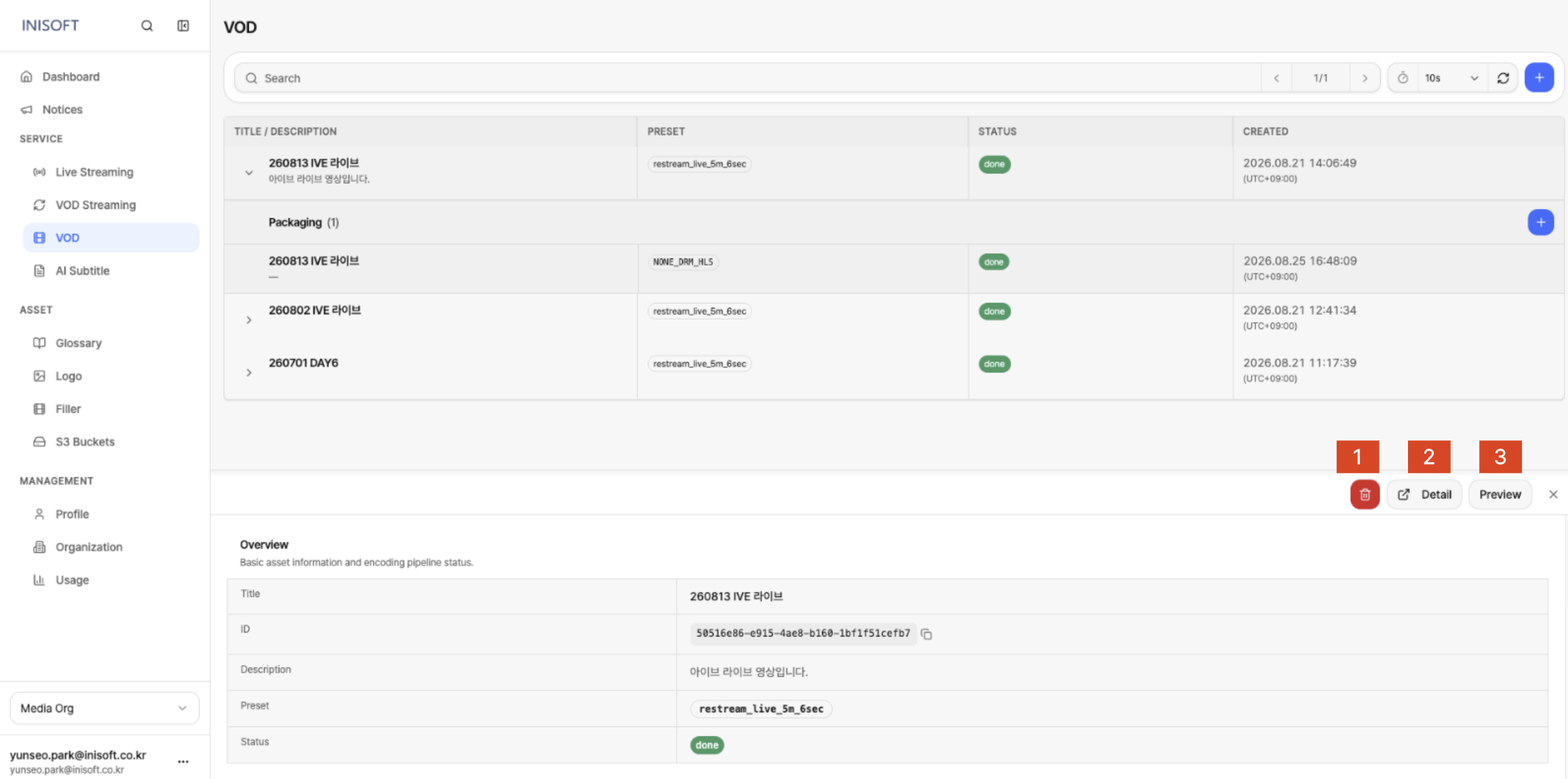
Fig. Encoding Job detail panel
What the Detail Panel Offers
The detail panel lets you check information about the Encoding Job, preview the job's output, or delete the job.
| No | Action | Description |
|---|---|---|
| 1 | Delete | Deletes the selected Encoding Job. |
| 2 | Detail | Takes you to the full-screen detail page for the Encoding Job. |
| 3 | Preview | Plays back the completed encoding output for preview. Available when the Encoding Job's Status is done. |
Detail Information
Clicking Detail takes you to the full-screen detail page for the Encoding Job.
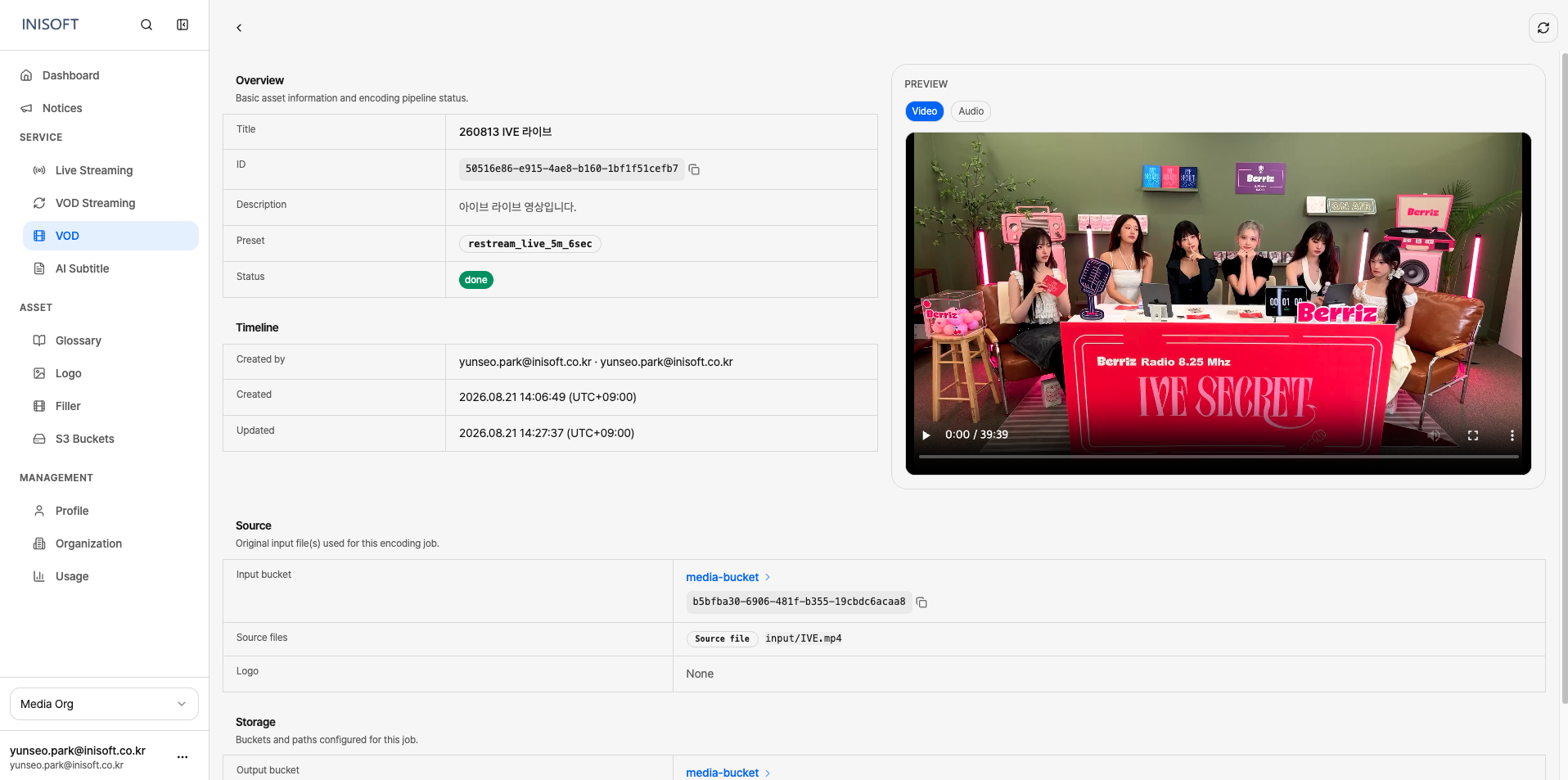
Fig. Encoding Job detail page
The detail page shows the following information.
| Section | Item | Description |
|---|---|---|
| Overview | Title | The name of the Encoding Job. |
| ID | A unique ID used to identify the Encoding Job. | |
| Description | The description entered for the Encoding Job. | |
| Preset | The Encoding Preset applied to this job. | |
| Status | The current status of the Encoding Job. | |
| Timeline | Created by | Information about who created the Encoding Job. |
| Created | The date and time the Encoding Job was created. | |
| Updated | The date and time the Encoding Job's information was last changed. | |
| Source | Input bucket | The S3 Bucket where the original video is stored. |
| Source files | The path of the original video file used for this Encoding Job. Shows the actual file path within the Input bucket. | |
| Logo | Information about the Logo applied to the encoding. You can navigate to the linked Asset. | |
| Storage | Input Bucket | The S3 Bucket where the original video is stored. |
| Output Bucket | The S3 Bucket where the encoding output is stored. | |
| Output Prefix | The path within the Output Bucket where the output is stored. |
Preview
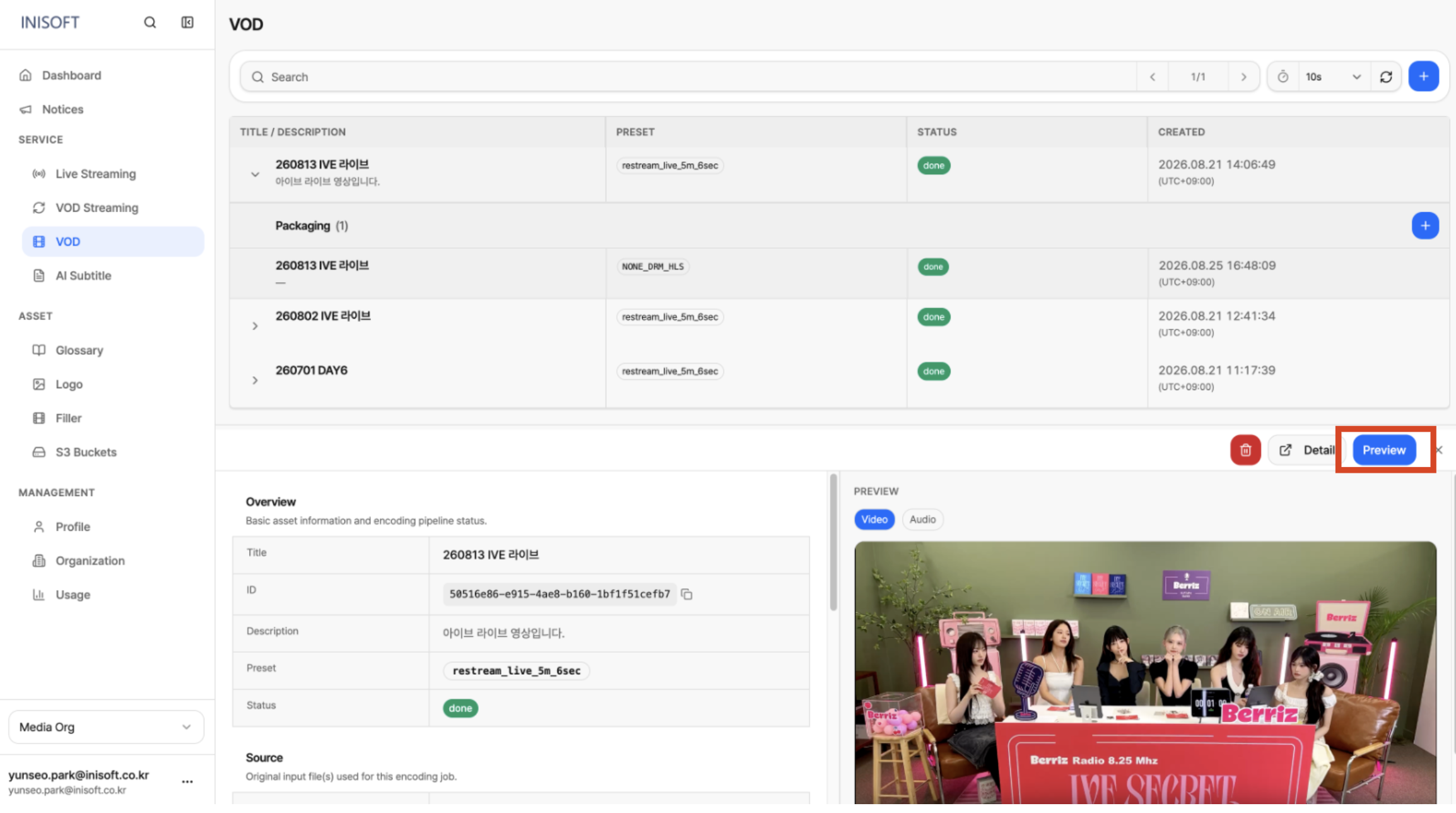
Fig. Preview page
Once the Encoding Job's Status changes to done, you can use the Preview feature to check the encoding output beforehand.
After using Preview to confirm the encoded video plays back correctly, proceed with a Packaging job for that VOD if needed.